Tax advisory
Invite tax advisor
Invite your tax advisor to Saldek through member management. Your firm can then view reviewed postings and archived original documents and create exports.
Requirements and roles
- Invitation permissions: Only a person with the “Owner” role can invite members to the organization and manage billing settings.
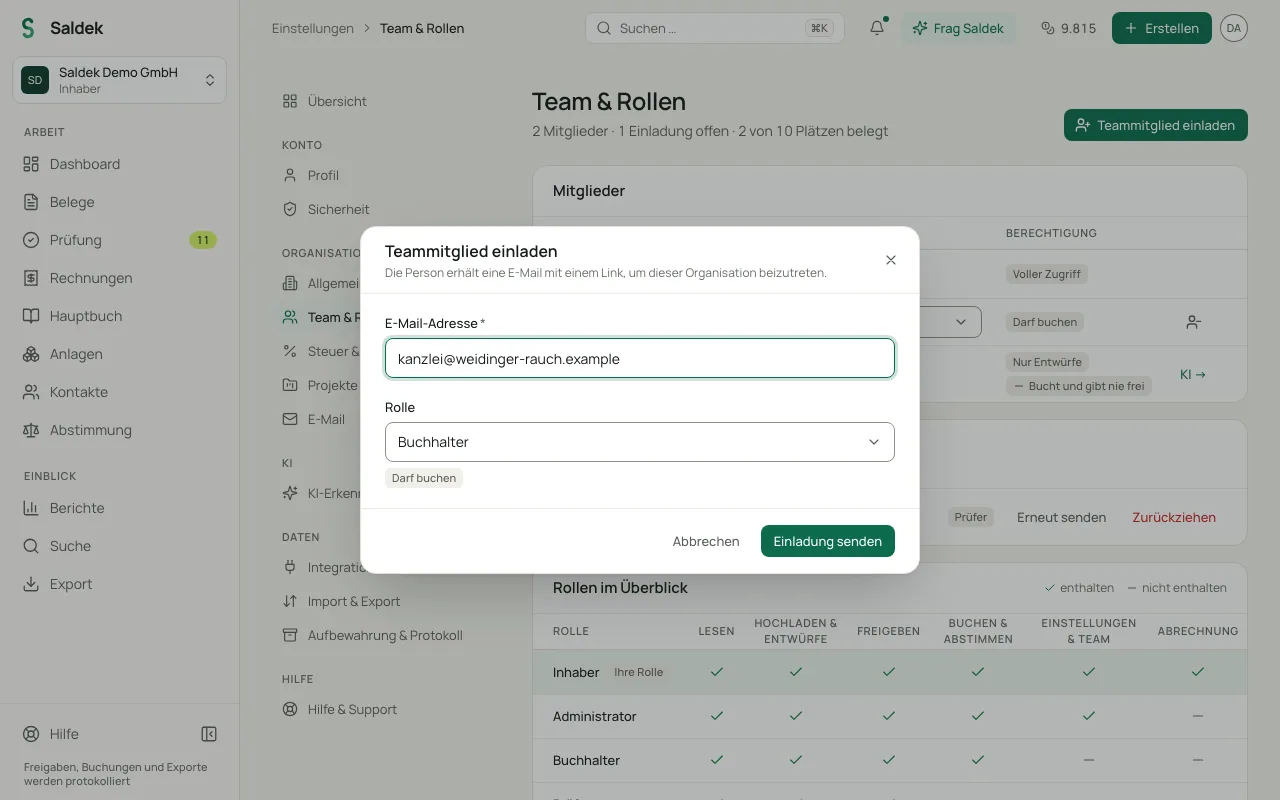
- Recommended role: Assign your tax advisor the “Accountant” role. This role lets them view approved postings and original documents and create exports.
- Permission limits: External tax advisors cannot manage the organization or change invoice or plan options. Only the “Owner” can do that.
- Plan limits: Your plan sets the maximum number of members (“Starter”: 3 users, “Business”: 10 users, “Pro”: 25 users; up to 3 users during the 30-day trial).
- No separate firm portal: Saldek has no separate portal for tax firms. Invited firm members sign in to the regular Saldek web application.
Invite in four steps
- Open the account menu at the top right, select “Settings”, then “Team & roles”.
- Under “Invite a teammate”, enter your tax advisor’s business e-mail address and select “Accountant” as the role.
- Select “Send invite”. Your tax advisor can then use the same Saldek web application to view approved postings and original documents.
You can also ask “Ask Saldek” to invite your tax advisor: the suggested card opens the invitation with the “Accountant” role, and nothing happens until you use it. If your advisory firm works for several organizations in Saldek, it switches between them with “Switch organisation”.
Tax advisory firms and other accounting professionals can apply for the Saldek partner programme on the “Become a partner” page.
Related topics
Frequently asked questions
Who can invite my tax advisor?
Only the organization’s “Owner” can send the invitation and assign the “Accountant” role. The number of members depends on your plan.
Which role should I assign to my tax advisor?
Assign the “Accountant” role. It lets your advisor view postings and documents and create exports, but not use “Owner” functions such as billing or member management.
Does Saldek have a separate portal for tax firms?
No. Invited tax advisors use the same web application as other members of your organization.
Last updated: