Reports
UVA & UStVA
Saldek calculates reports only from documents you have approved and posted. Open “Reports” to view the VAT report, check the calculated figures, and download the advance return file if needed.
UVA in Austria and UStVA in Germany
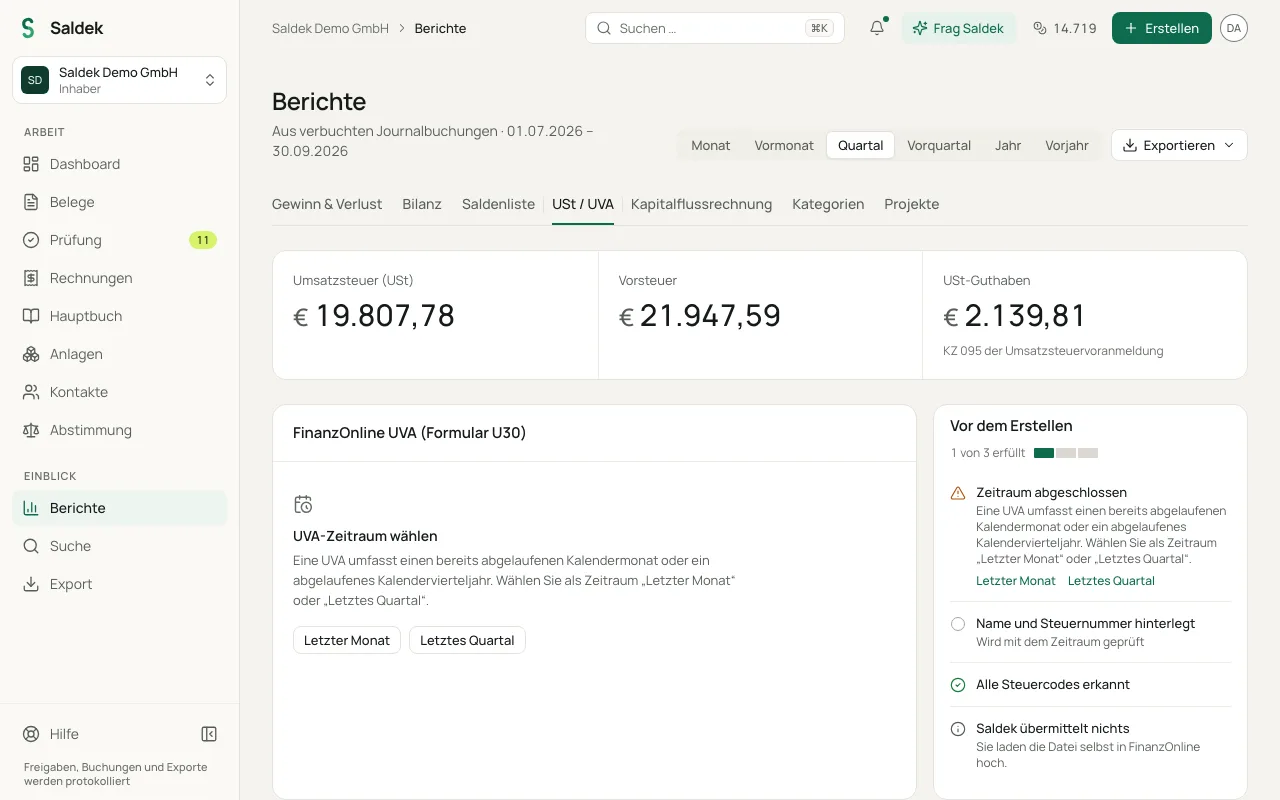
- Austria (UVA, Form U30): For organizations registered in Austria, Saldek creates a table of tax codes, including KZ 000 and KZ 095, for a completed monthly or quarterly period. Saldek provides an XML file for you to upload to FinanzOnline. Saldek does not send anything to the tax office.
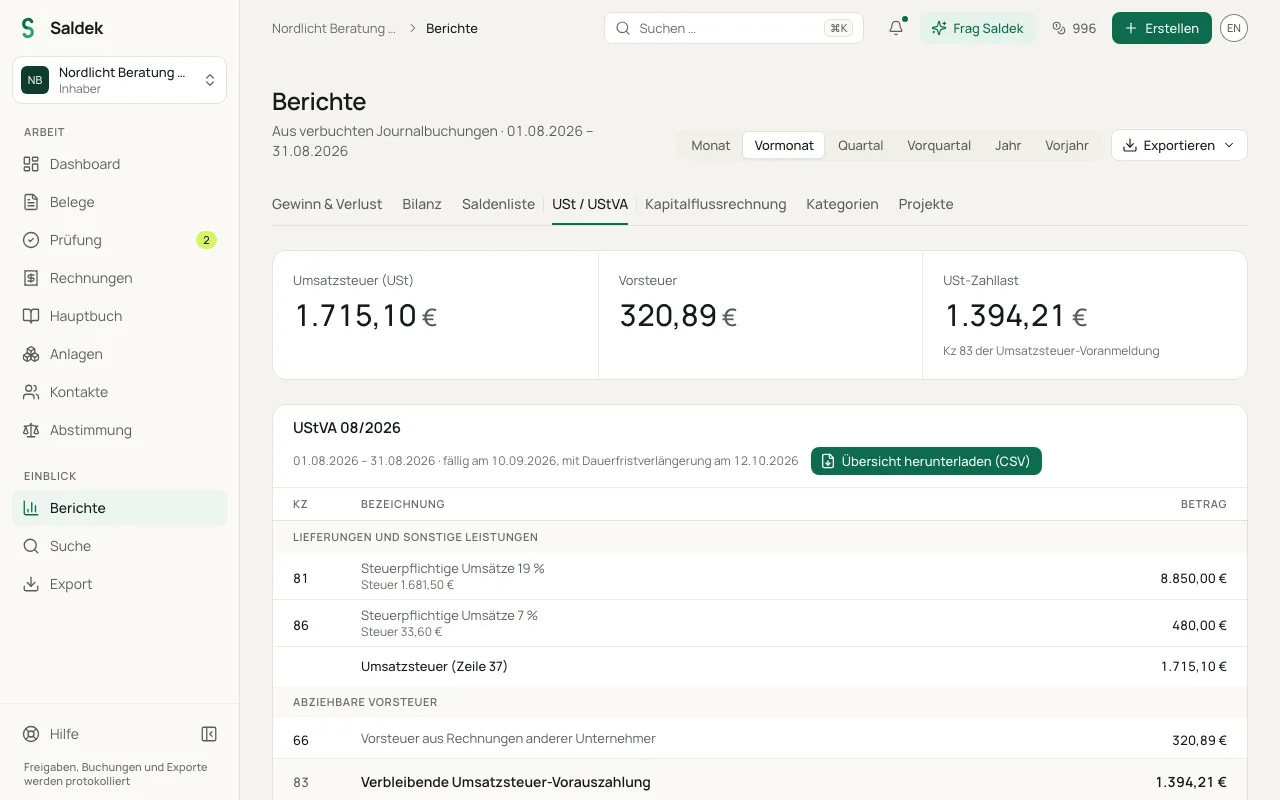
- Germany (UStVA): For German organizations, Saldek displays the tax code amounts in whole euros, along with the due date and the date when a permanent filing extension applies (Dauerfristverlängerung). Enter the amounts in ELSTER yourself. You must handle the special advance payment (Kz 39) yourself.
- Organizations on the base package: For other EU countries, Switzerland, and Liechtenstein, Saldek does not provide a country-specific tax return. The report shows the tax bases for each tax code for your own filing.
Prepare and review an advance return
- Open “Reports” in the navigation and select the VAT report.
- Select the completed period you need.
- Review the validation notices. Saldek flags postings without a tax code and incomplete entries. Check these notices before you submit the figures.
- For organizations in Austria: Select “Download FinanzOnline XML” and upload the file to FinanzOnline yourself.
- For organizations in Germany: Read the rounded tax code amounts and enter them in ELSTER yourself.
Frequently asked questions
Does Saldek send the UVA or UStVA directly to the tax office?
No. Saldek does not send data to tax authorities. In Austria, upload the generated XML file to FinanzOnline yourself. In Germany, enter the tax code amounts in ELSTER yourself.
Can organizations in Austria file a UStVA?
No. In Austria, the advance return is called the UVA (Form U30), and Saldek provides a tax code table and XML export for it. The UStVA with ELSTER tax codes is available only to organizations registered in Germany.
Which data appears in the VAT report?
The report includes only documents you have approved and posted to the ledger. Drafts and documents under review are excluded from the amounts.
Last updated: