Getting started
Introduction
Saldek helps freelancers and small businesses in the European Union prepare their bookkeeping with AI. It does not replace tax advice. Saldek offers complete country packages for Austria and Germany, plus a basic package for other EU countries, Switzerland, and Liechtenstein. Use Saldek in a web browser; there is no mobile app.
From document to export
Bring a document into Saldek, and Saldek extracts its data and drafts a booking entry. Review the draft and correct any details that need attention. A person with the required role must approve the entry before Saldek posts it. You can then export the data for your tax advisor.
- Add a document: Upload it in your browser with “Create” › “Upload document” at the top, or, with the Starter plan or higher, send it through e-mail or a connected service.
- Let Saldek extract the details: It reads the vendor, date, amounts, tax rates, and line items, then checks each value against the document.
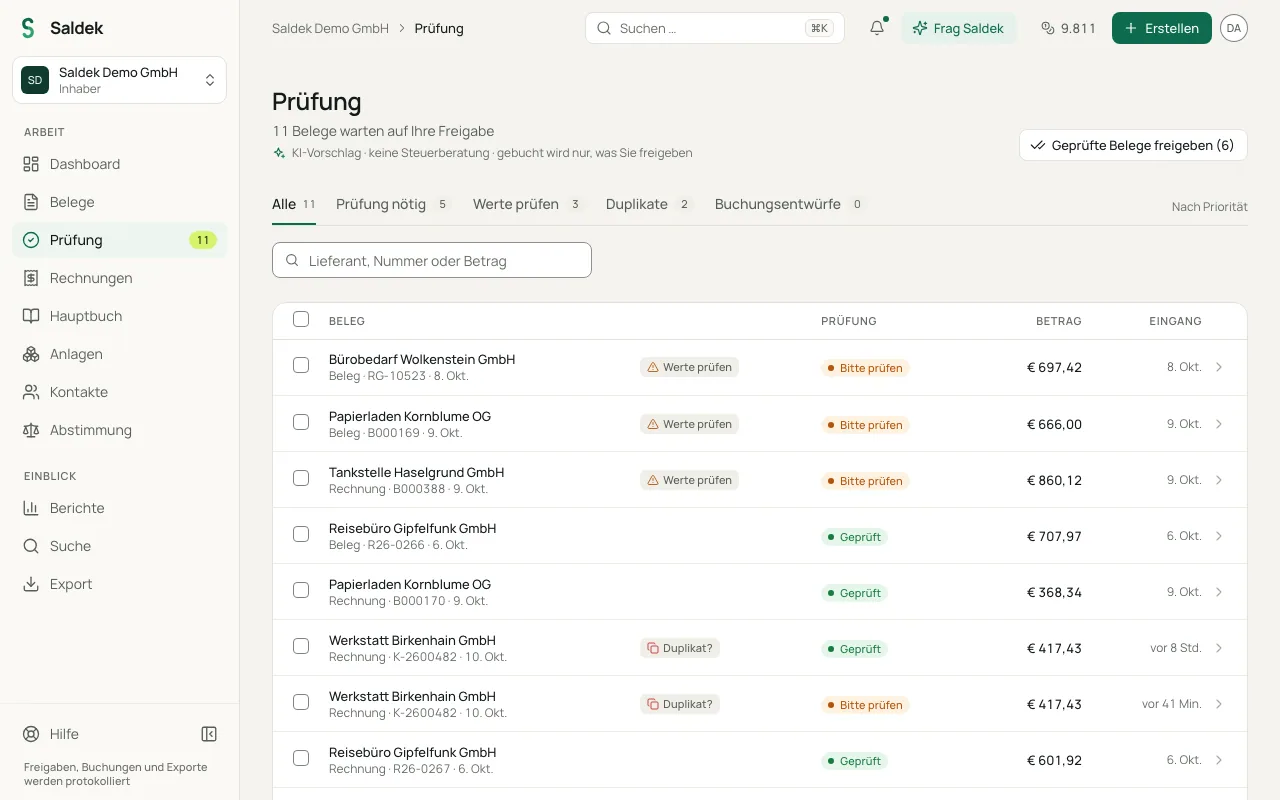
- Review the suggested booking: Select “Review” in the navigation to compare the original document with the extracted data and the proposed journal entry, including its account and tax key.
- Approve the booking: Check the marked values, correct details as needed, and select “Approve & post”. Saldek adds the entry to the ledger after approval.
- Export data for your tax advisor: At the end of the period, select “Export” and download the reviewed entries in a suitable format, such as DATEV or BMD.
How Saldek helps with bookkeeping
Saldek saves you from typing invoice and receipt details by hand. It checks each extracted value against the document, and the review queue marks the values it could not confirm. When you import a bank statement, “Reconciliation” suggests payment matches. You can also export finalized booking data to DATEV or BMD through standardized interfaces.
Who Saldek is for
Saldek is for sole proprietors, freelancers, and small businesses that want to keep their routine documents in order. Invite your tax advisor to the organization as a member with the “Accountant” role. They can view and export approved bookings and their source documents.
Areas of the app
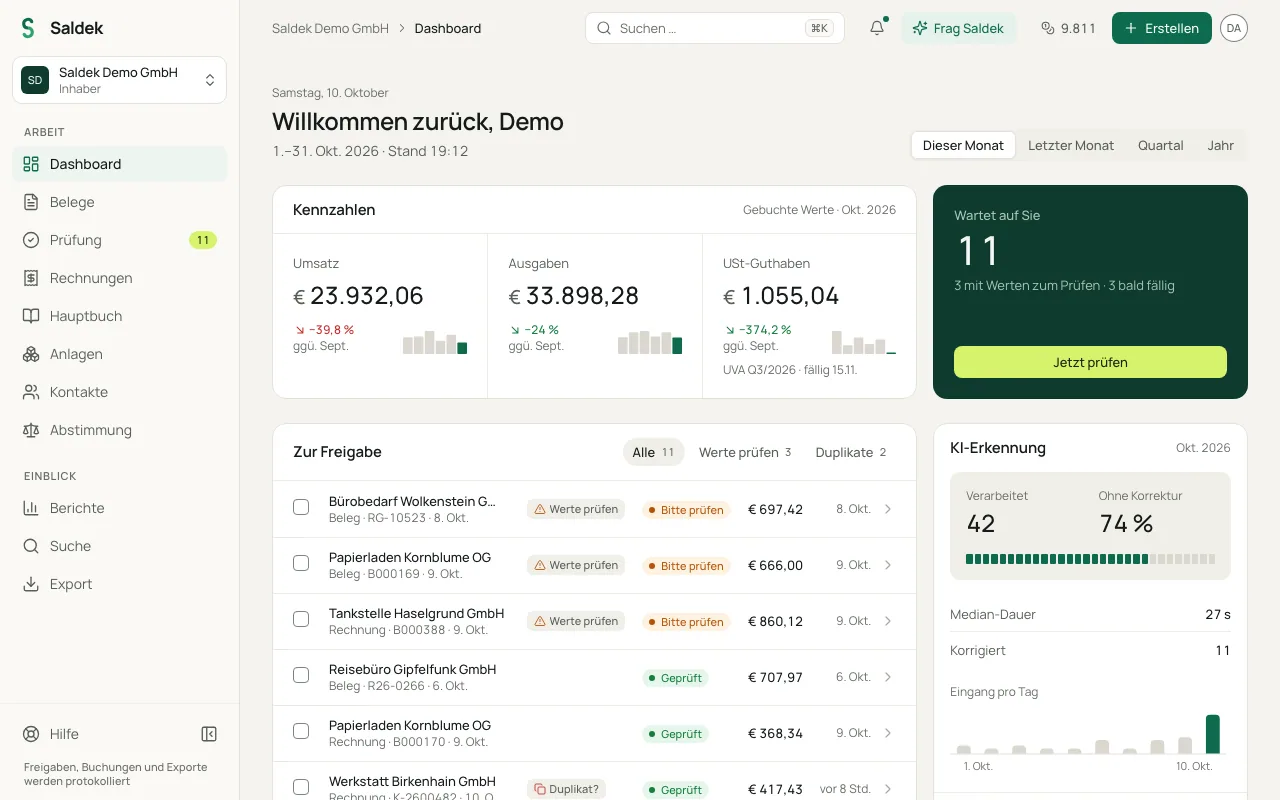
- “Dashboard”: See open tasks, reviews, and key figures at a glance. Until your setup is finished, its “Setup” section takes you back to the setup wizard.
- “Documents” and “Review”: Manage documents, check their processing status, and review booking suggestions under “Review”.
- “Create”: In the top bar, use “Upload document” to add files, “Sales invoice” to write an invoice, “Record entry” to record a booking by hand, or “Add contact” to add a contact.
- “Invoices”: Create outgoing invoices and view incoming invoices from reviewed documents.
- “Ledger”: See all posted journal entries in chronological order.
- “Contacts”: Manage customer and vendor details, including VAT ID numbers and VIES validation records.
- “Reconciliation”: Match bank transactions with open items and ledger entries.
- “Reports” and “Fixed assets”: View reports such as profit and loss and balance sheets, and manage assets and depreciation.
- “Search” and “Export”: Find documents and create tax-advisor exports such as DATEV or BMD.
- “Billing” and “Settings”: Both are in the account menu at the top right. Manage plans, credits, team roles, projects and categories, integrations, and tax settings there.
- “Ask Saldek”: Your assistant answers questions about your documents and bookings with sources, shows you where to find things in Saldek, and suggests steps that do nothing until you confirm them. Open it on any page with ⌘ J (Mac) or Ctrl + J (Windows).
- “Notifications”: The bell in the top bar tells you, for example, about processed documents, documents received by e-mail, low credits, and invoices that are almost due or overdue.
- “Help”: Opens this documentation, the keyboard shortcuts, “Contact support”, and the “Product tour”. Under “Settings” › “Help & support”, you find short answers to common questions and can write to the Saldek team.
- “Switch organisation”: If you work for several organizations, switch between them here or add another with “Create organisation”.
Frequently asked questions
Does Saldek replace my tax advisor?
No. Saldek prepares bookkeeping but does not provide tax advice. It organizes documents, drafts booking suggestions, and prepares key figures and exports for your tax advisor.
Does AI post bookings on its own?
No. AI creates drafts and suggestions. A person with the “Accountant” role or higher must approve the document before Saldek creates a booking.
Who can use Saldek?
Saldek is designed for freelancers, sole proprietors, and small businesses in the EU. You can invite a tax advisor with the “Accountant” role to view and export data.
Last updated: