Reports
E/A-Rechnung & EÜR
Saldek sets E/A-Rechnung as the default bookkeeping method for sole proprietorships. It follows the cash receipts and payments principle, unlike double-entry bookkeeping: the payment date determines when an item counts, not the date on the document.
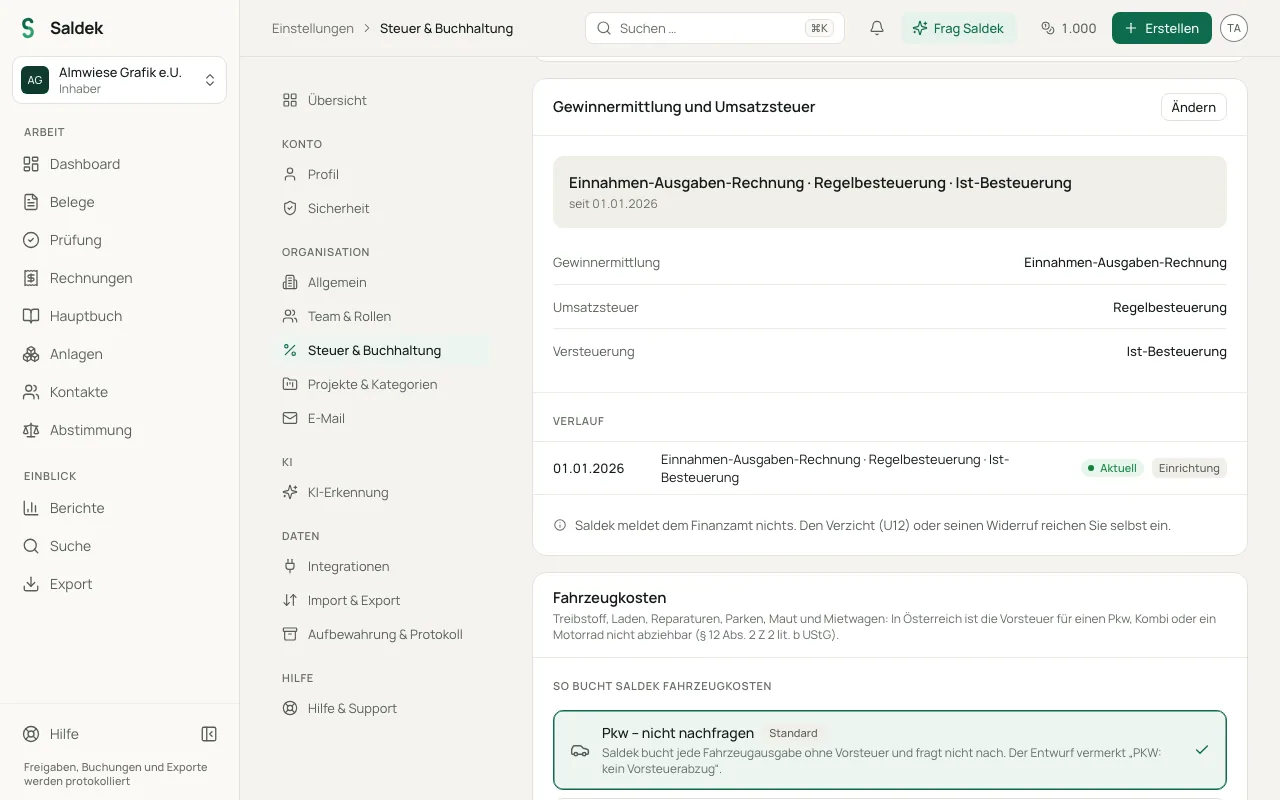
Bookkeeping method and tax settings
- Choose a bookkeeping method: Under “Settings” -> “Tax & accounting”, choose E/A-Rechnung or double-entry bookkeeping. E/A-Rechnung is selected by default for sole proprietorships.
- Record a payment as a draft: For organizations using E/A-Rechnung, recording a payment creates a draft in “Review”. Saldek does not post it automatically.
- Payment pending: If a purchase is not paid yet, its draft shows “Payment pending”; under “Documents”, the “Payment” filter lists them all. Saldek dates the draft as soon as it sees the payment, for example through reconciliation, a payment receipt, or your “Paid on” date. If it is still open 30 days after it is due (or after it arrived in Saldek, if later), Saldek reminds you in review.
- Paid on the spot: A till receipt is paid at the till; its draft goes to “Cash” or, for a card payment, to the “Bank account”, depending on what the receipt shows. If you upload one of your own sales invoices with a paid stamp, Saldek drafts it as paid on its invoice date.
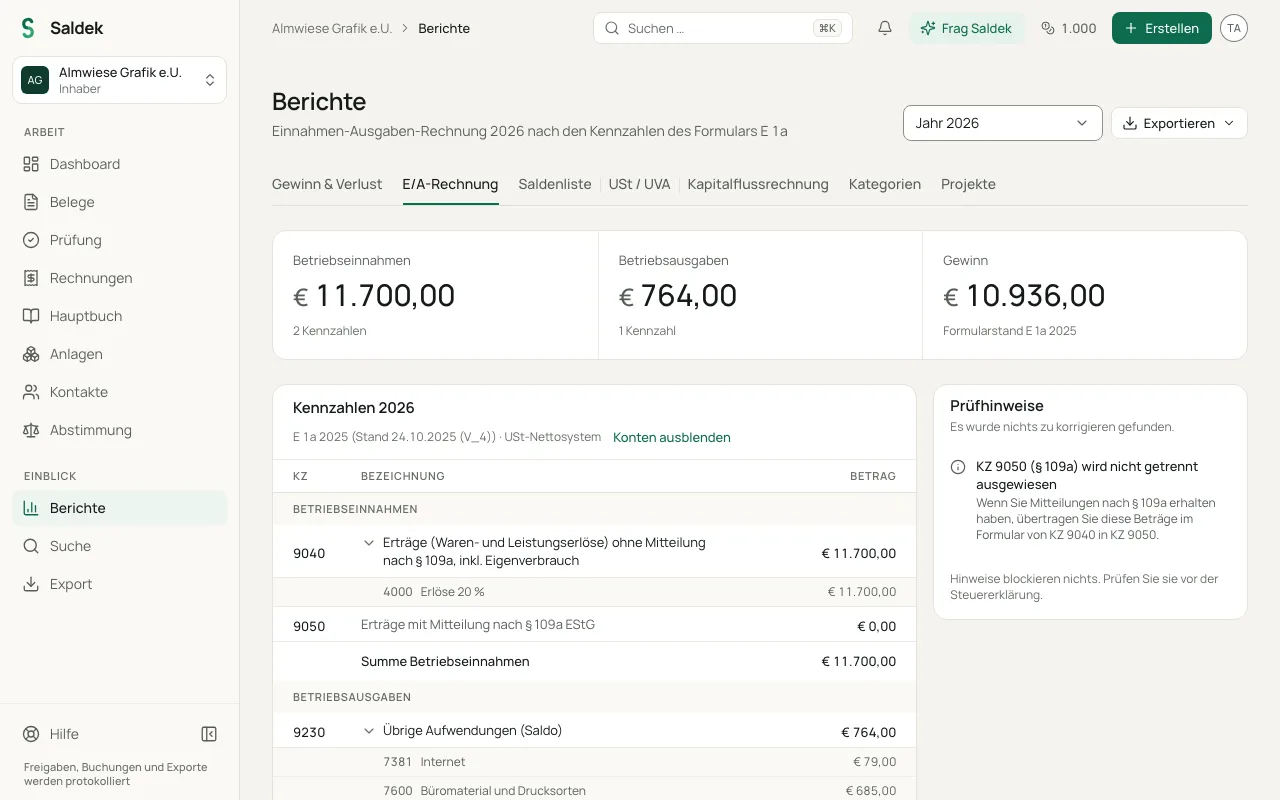
- Austria (Form E 1a): Saldek provides annual figures to pre-fill Form E 1a. You or your tax advisor must add year-end adjustments such as the Gewinnfreibetrag.
- Germany (Anlage EÜR): Saldek pre-fills Anlage EÜR through line 75. You or your tax advisor must make profit adjustments from line 76 onward.
- Small-business scheme: If you use the small-business scheme, you cannot deduct input VAT, so the full gross amount counts as a business expense.
Open and review the annual report
- Under “Settings” -> “Tax & accounting”, check that your bookkeeping method (E/A-Rechnung) and VAT status are correct.
- Make sure you have recorded all payments and approved the related payment drafts in “Review”.
- Open “Reports” and select the E/A-Rechnung or EÜR report for the financial year.
- Check the review list for issues such as open drafts for the year, missing depreciation entries, foreign-currency items, or payments that cross the year boundary under § 19 EStG.
- Transfer the figures to the official form (Form E 1a in Austria or Anlage EÜR through line 75 in Germany), then add any personal year-end adjustments.
Frequently asked questions
How does E/A-Rechnung differ from double-entry bookkeeping in Saldek?
With E/A-Rechnung, income and expenses count on the date you pay or receive them. With double-entry bookkeeping, issuing an invoice creates a receivable or payable in the ledger.
Does Saldek account for adjustments such as the Gewinnfreibetrag in Austria?
No. Saldek pre-fills the figures for Form E 1a. You or your tax advisor must add statutory adjustments and profit corrections such as the Gewinnfreibetrag.
Through which line does Saldek pre-fill the German Anlage EÜR?
Saldek pre-fills Anlage EÜR through line 75. You or your tax advisor must handle profit adjustments from line 76 onward.
Last updated: