Tax advisory
DATEV & BMD export
Saldek prepares your bookkeeping and organizes approved postings and documents for your tax advisor. Under “Export”, choose a format that works with your firm’s software and download the files in your browser.
Available formats and plans
- DATEV: A batch of postings for firms using DATEV software.
- BMD: An export with BMD-specific tax fields pre-filled (steuer, mwst, steucod), so your firm does not need to map tax codes manually.
- Advisor package: A complete DATEV export, all related original documents, and a cover sheet in a ZIP archive.
- Other formats: ebInterface XML for electronic invoices in Austria, PDF reports, and CSV files.
- Plan requirements: DATEV and BMD exports are available with the “Business” plan and above. Both formats are also available during the 30-day trial. Save templates for recurring exports.
Create an export
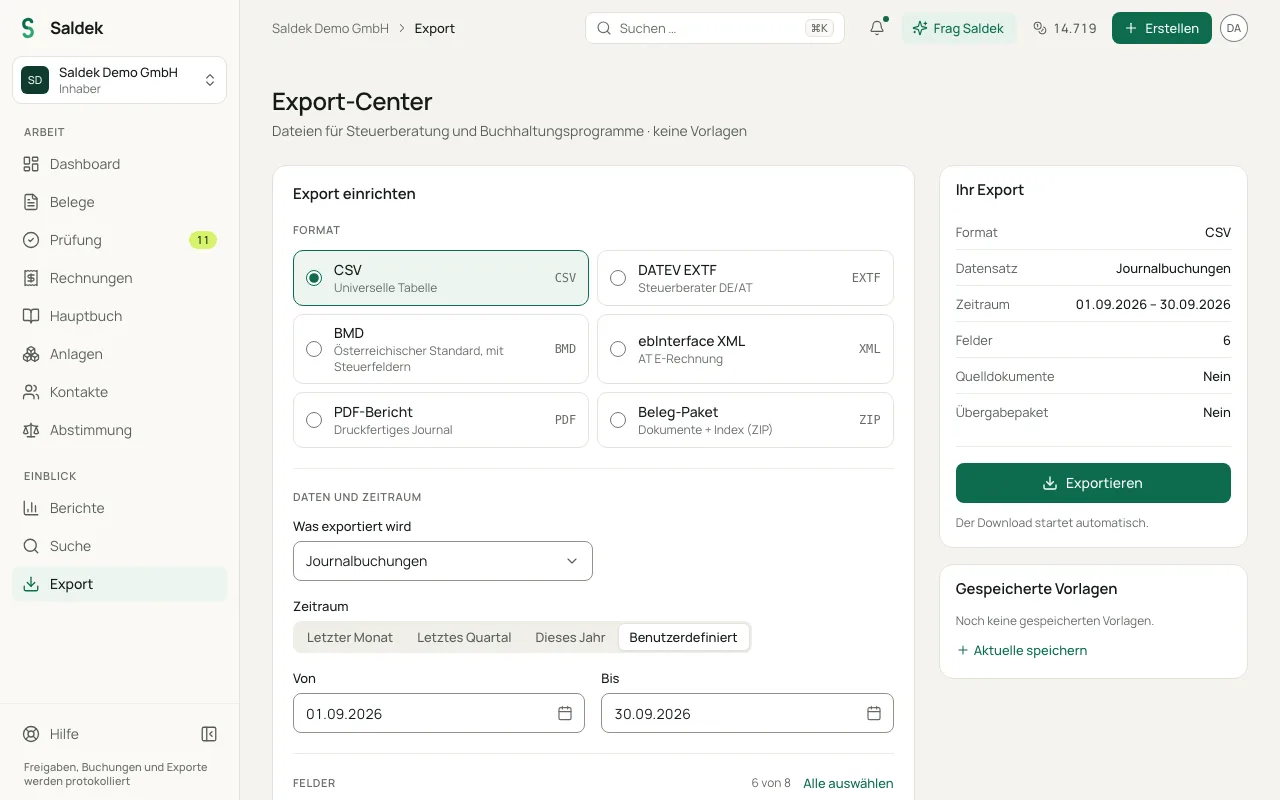
- Open “Export” in the main navigation.
- Choose a format card, such as DATEV or BMD.
- Set the date range for the export.
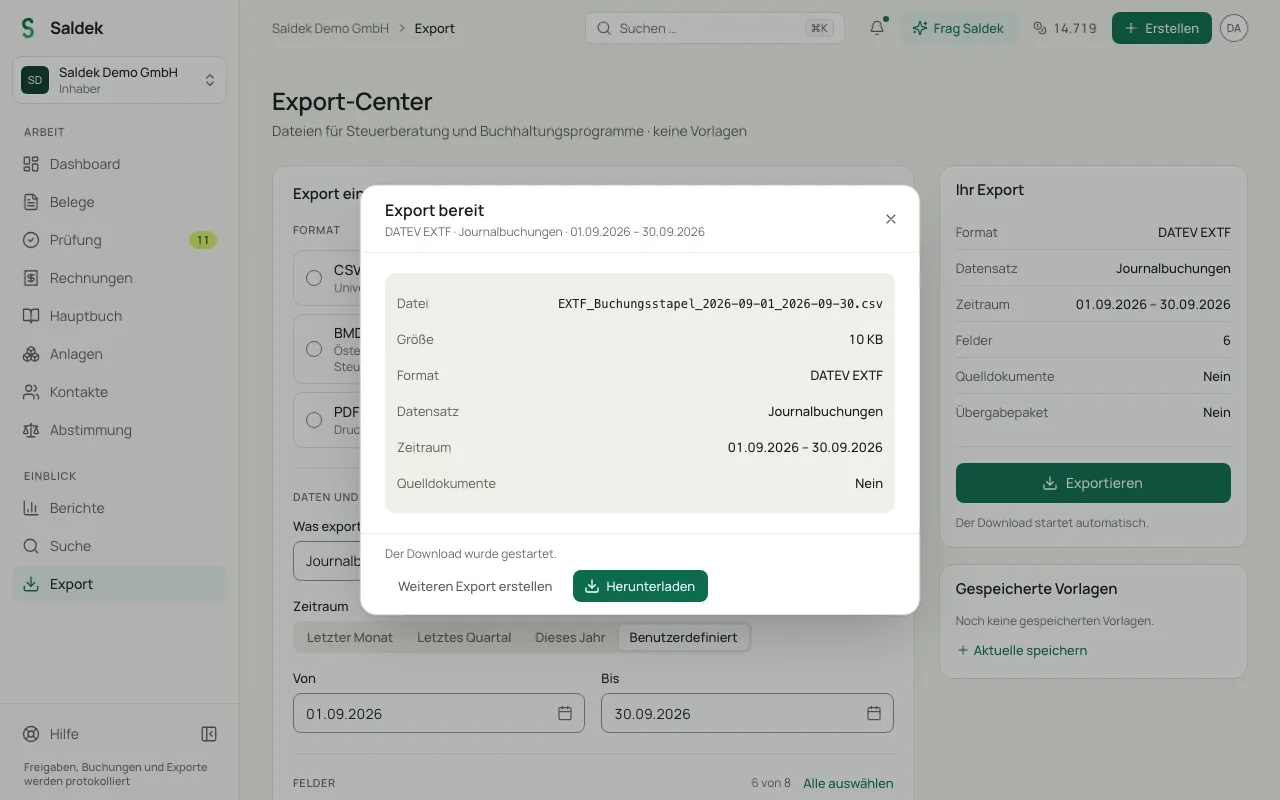
- Select “Export”. Saldek creates the file and displays any validation notices.
- The file downloads automatically. To download it or the ZIP archive again, select “Download” in the “Export ready” window.
Related topics
Frequently asked questions
Which export formats can I use?
Saldek offers DATEV, BMD, the combined advisor package (DATEV with documents and a cover sheet in a ZIP archive), ebInterface XML, and PDF and CSV reports.
Which plan includes DATEV and BMD?
DATEV and BMD exports are available with the “Business” plan and above. You can also use both formats without restriction during the 30-day trial.
Does Saldek send postings directly to my tax advisor’s data center?
No. Saldek does not send data directly to DATEV or BMD. Create an export file, download it, and send it to your tax advisor.
Last updated: