Banking
Import a bank statement
Import bank transactions into Saldek from CSV or CAMT.053 (XML) files exported from your online banking. Bank statement import is available on the Starter plan and above.
Requirements
- The trial or an active plan starting with Starter. Bank import is not available in read-only mode without a plan.
- A bank account set up in Saldek with IBAN and BIC.
- A bank statement exported as a CSV or CAMT.053 (XML) file.
- Import the statement here, not under “Documents”: there Saldek only files it and imports no transactions.
Import a bank statement
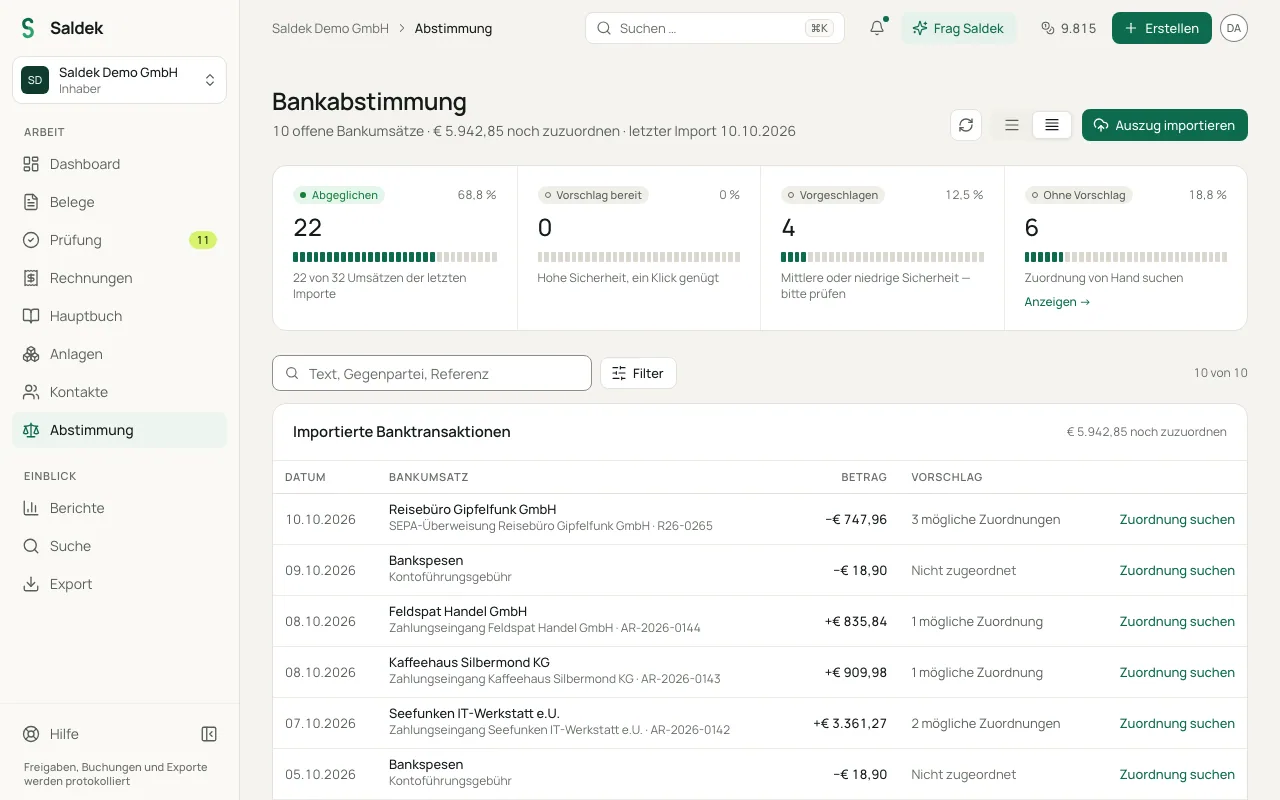
- Open “Reconciliation”: Select “Reconciliation” in the main navigation.
- Open the import dialog: Select “Import statement” at the top of the page.
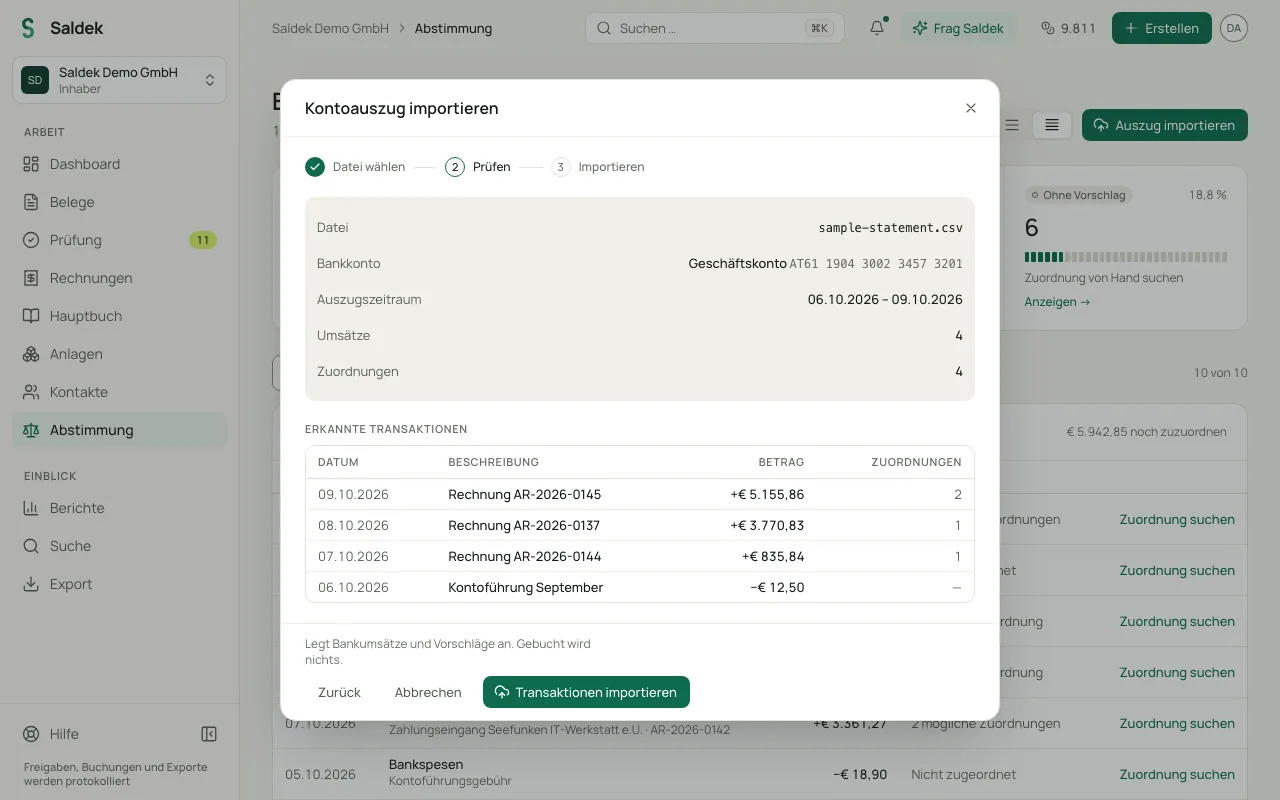
- Choose a bank account and file: Select the account and upload your CSV or CAMT.053 file. Select “Preview” to read the file.
- Review the preview: Under “Parsed transactions”, check the date, description, amount, and number of suggested matches.
- Confirm the import: Select “Import transactions” to add the account transactions and suggestions to Saldek.
Frequently asked questions
Which file formats can I import?
You can import bank statements exported from online banking as CSV or CAMT.053 (XML) files.
Can I connect directly to my bank?
No. Saldek does not currently support a direct live bank connection (PSD2). Import bank statements as files.
Does importing a statement post transactions?
No. The import reads the transactions and creates suggestions. Saldek does not post anything to the ledger automatically.
Last updated: